Setting Up MARLIN
Now that your robot is built, it is time to set up the MARLIN VS Code extension. This page will guide you through the installation process on your laptop.
1. Installing Python
To use MARLIN, you need to have Python 3.10 or newer installed.
How to check if you already have Python installed
Open a terminal and run:
If your Python version is 3.10 or newer, skip the Python installation guide.
Install Python. Any version from 3.10 up will work. Follow the installation instructions.
2. Installing VS Code
To use MARLIN, you need to have VS Code 1.120 or newer installed. Download the latest version from the VS Code download page. Follow the installation instructions.
3. Installing MARLIN
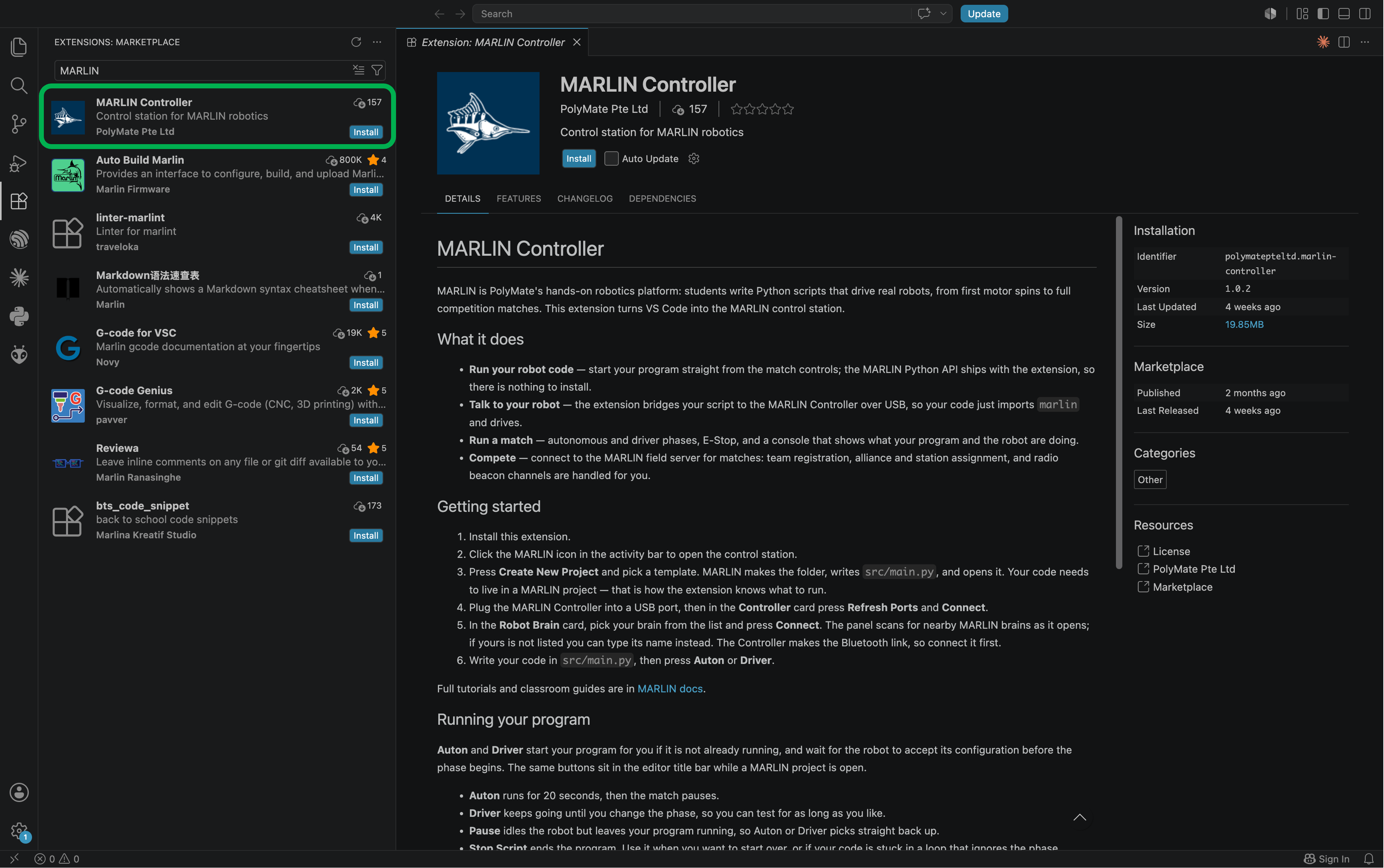
Install the MARLIN extension from the VS Code Marketplace:
- Open VS Code.
- Open the Extensions view (the icon with four squares in the activity bar, or Ctrl+Shift+X).
- Search for
MARLIN. - Find MARLIN Controller by PolyMate Pte Ltd and click Install.
- Reload VS Code if prompted.
Check the publisher
Searching MARLIN also returns Auto Build Marlin, an unrelated 3D-printer extension. It is usually the first result. The one you want is published by PolyMate Pte Ltd. Check the publisher name, not the position in the list.
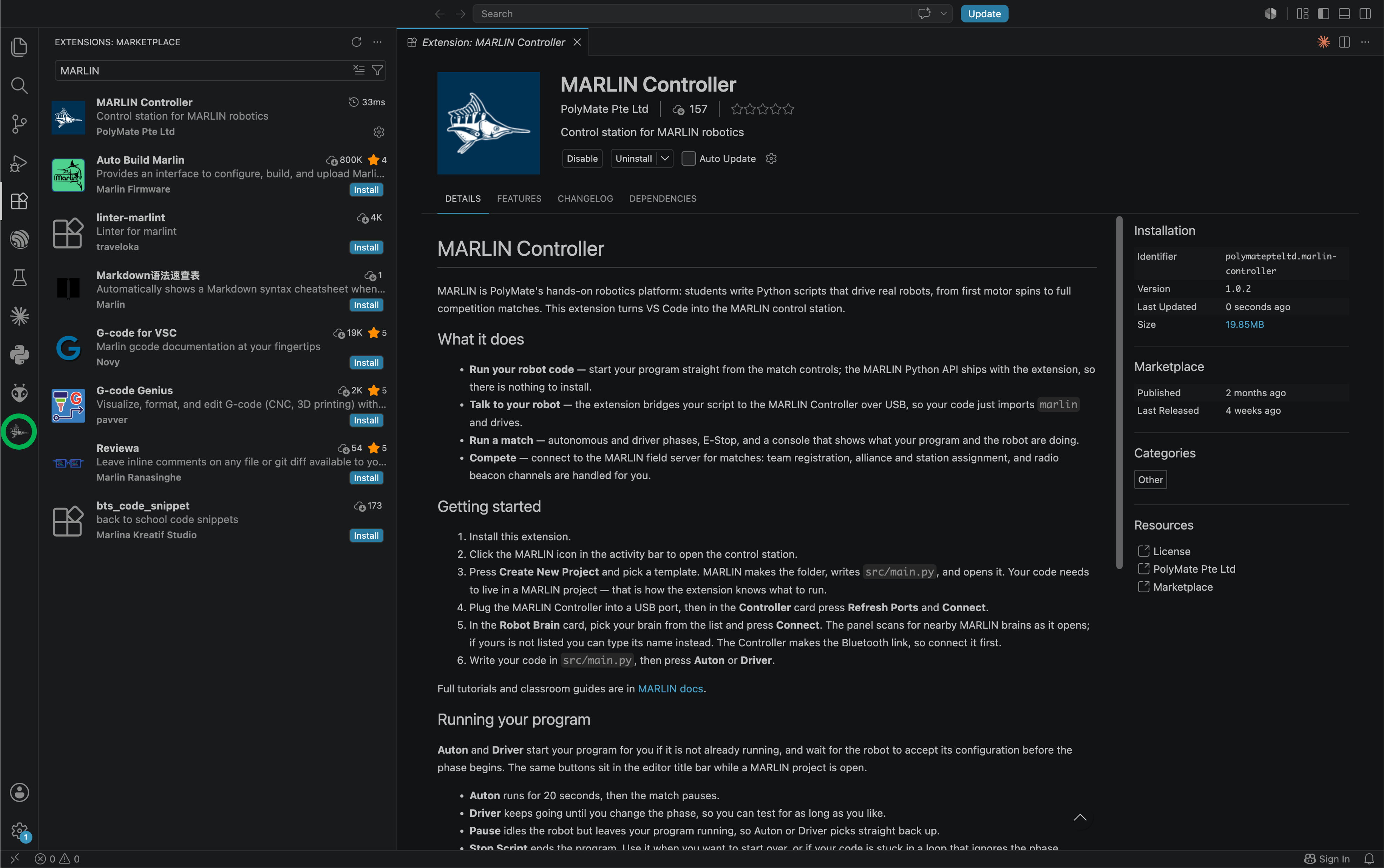
After installation, the MARLIN icon appears in the VS Code activity bar, the strip of icons down the far left edge of the window. Click on the fish icon.
This will bring you to the MARLIN Control Station.
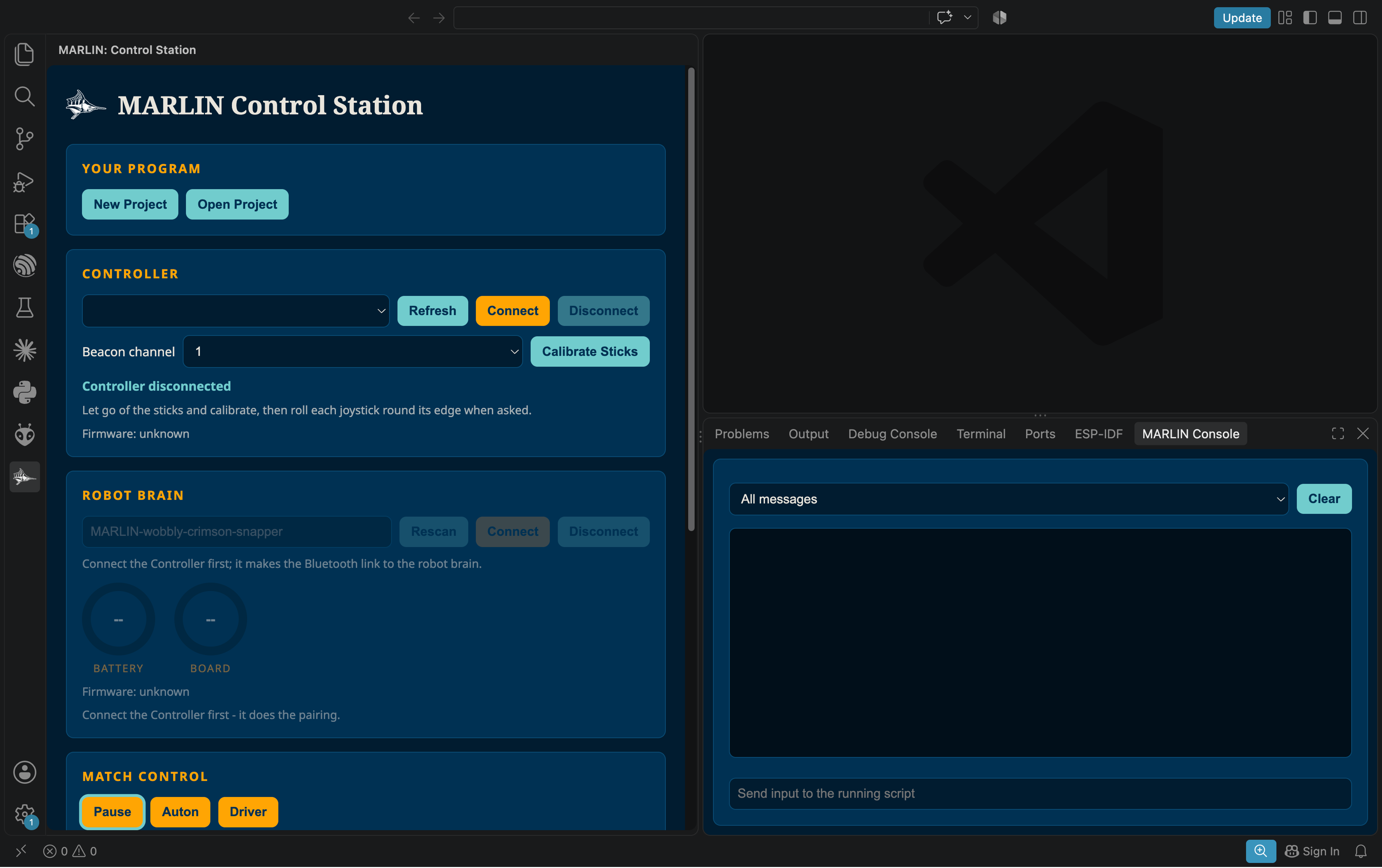
Congratulations! You have successfully installed MARLIN on your laptop.
Next: learn the control station and connect your robot in the Extension Walkthrough.